AI Interior Visualization – How to Design Your Space with Izbaviz?
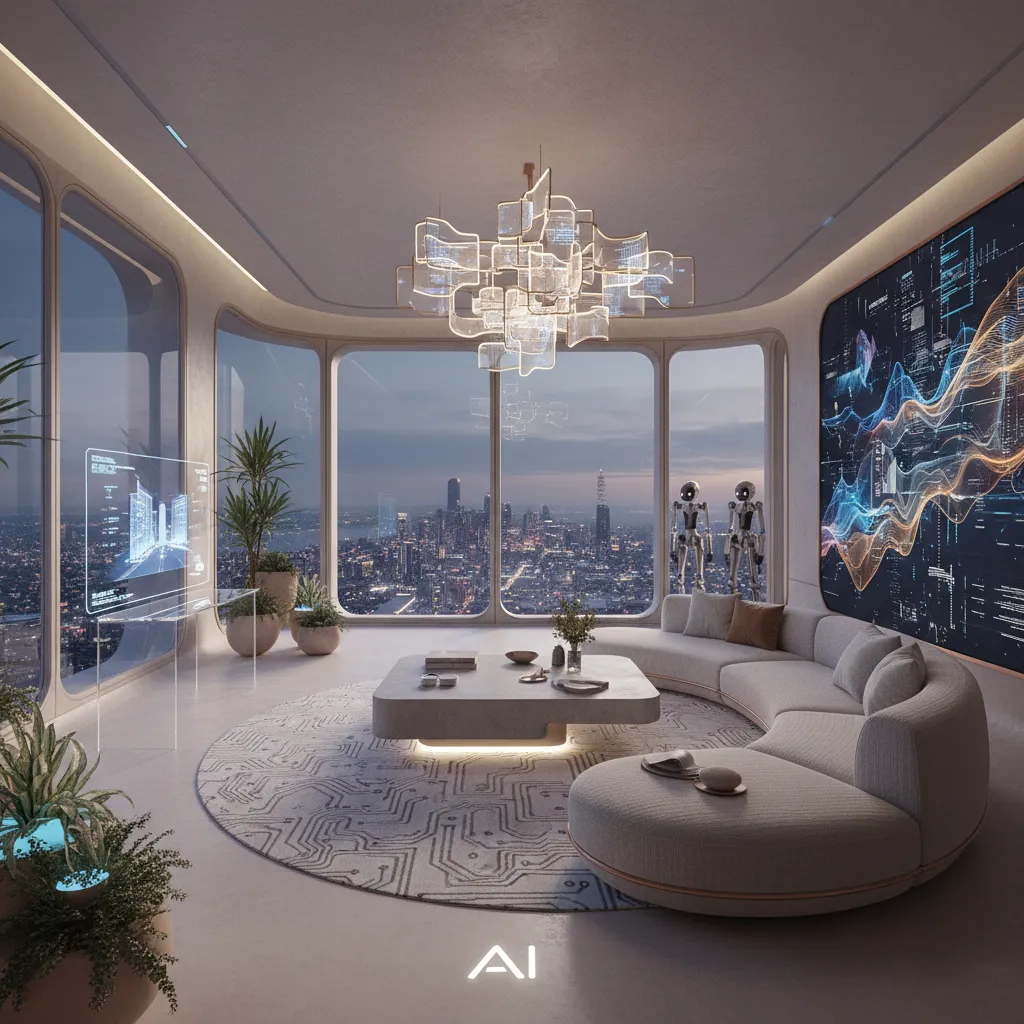
AI interior visualization lets you redesign a room in 15–40 seconds — just upload a photo, pick a style, and AI generates a photorealistic concept. No interior designer, no 3D software, and you can start for free.
In this guide I’ll show you exactly how AI interior visualization works as an interior design visualizer — letting you visualize interior design from a photo of your real room — and how to use all 7 tools inside Izbaviz.
What Is AI Interior Visualization?
AI interior visualization is a process where artificial intelligence analyzes a photo of your room and generates a redesigned version based on your chosen style, layout, lighting, or design preferences. Instead of spending hours in traditional 3D design software, AI handles it automatically — the result is a photorealistic interior transformation generated in seconds.
It works whether you need to visualize a living room, a single bedroom, a kitchen, or a bathroom. This solution is perfect for:
- Homeowners planning renovations
- Apartment owners preparing rental listings
- Real estate agents (virtual home staging)
- Interior designers
- Anyone who wants to explore design possibilities before making changes
How Does Izbaviz Work?
Using Izbaviz is simple — the process takes just three steps: upload a photo of your room, choose a tool or design style, and generate your visualization. The AI usually creates your new interior in around 15 to 40 seconds, and you can export results in Standard, Pro 2K, or Ultra 4K quality.
How to Create an AI Interior Design Step by Step
Every project in Izbaviz follows the same workflow:
- Create your account (email, Google, or Facebook).
- Upload your interior photo (JPG, PNG, or HEIC, up to 10 MB) — living room, kitchen, bathroom, bedroom, office, or an empty apartment.
- Choose one of the AI interior design tools.
- Adjust settings — quality (Standard, Pro 2K, Ultra 4K) and layout mode (Keep Layout or Redesign Layout).
- Click Generate and wait a few seconds.
- Compare before and after, then download your final visualization.
AI Interior Design Tools Available in Izbaviz
Izbaviz offers seven AI tools designed for different interior design needs.
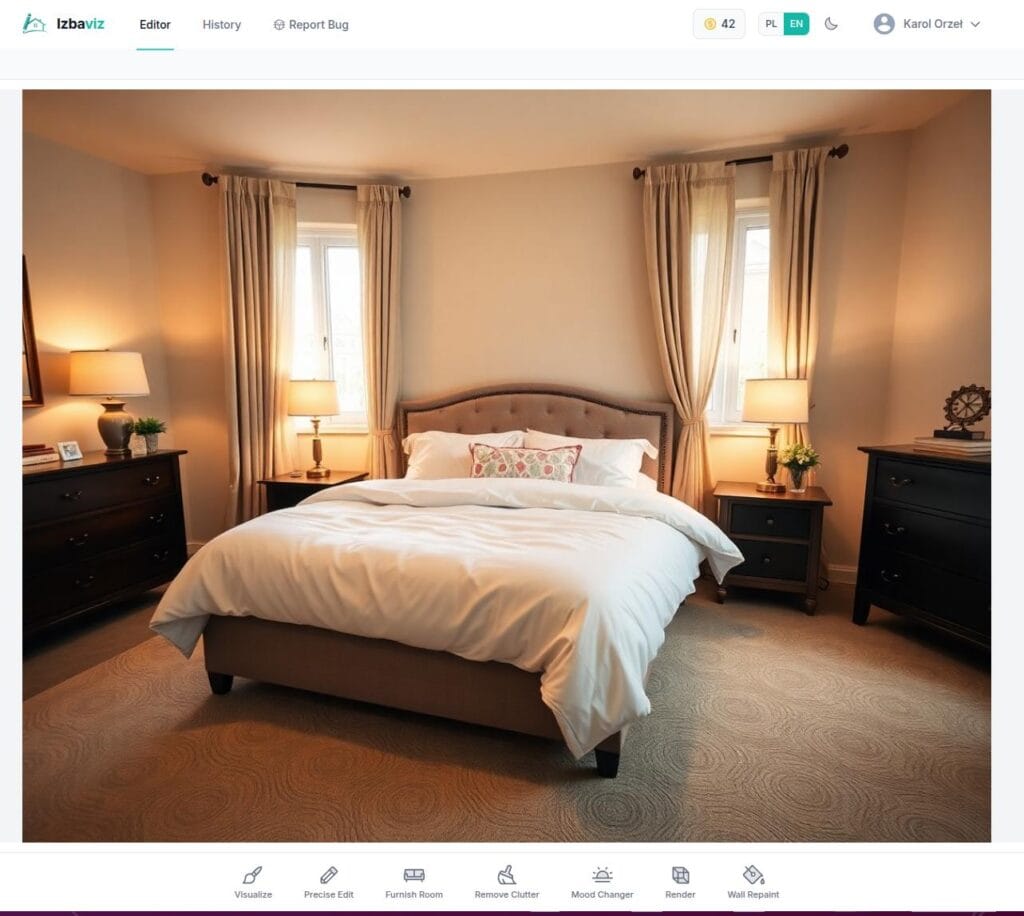
1. Visualize – Change Your Interior Style
This is the main AI interior design tool. Upload your room and choose a style such as Modern, Scandinavian, Industrial, Japandi, or Boho. The AI keeps your room structure while redesigning its visual style — ideal when you want to compare multiple design directions before making real changes.
2. Render – Turn Sketches into Photorealistic Interiors
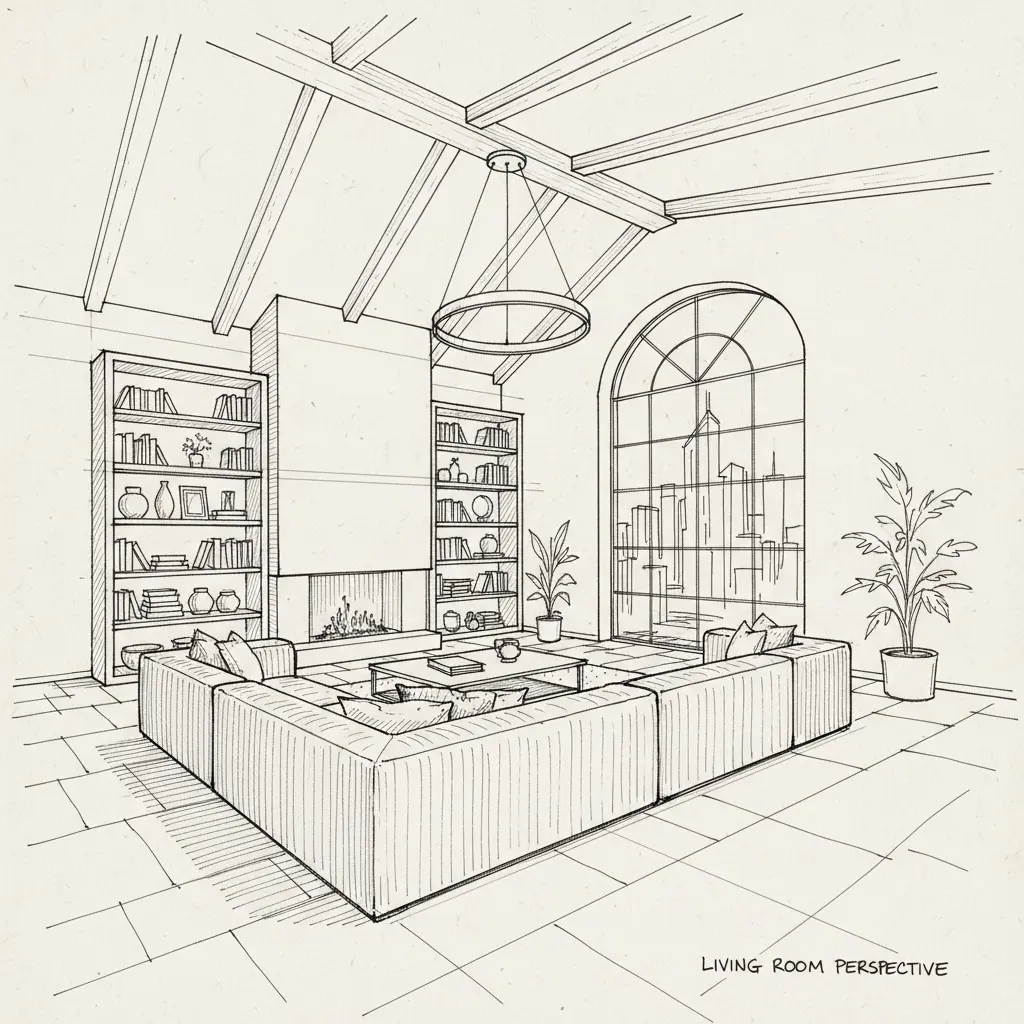
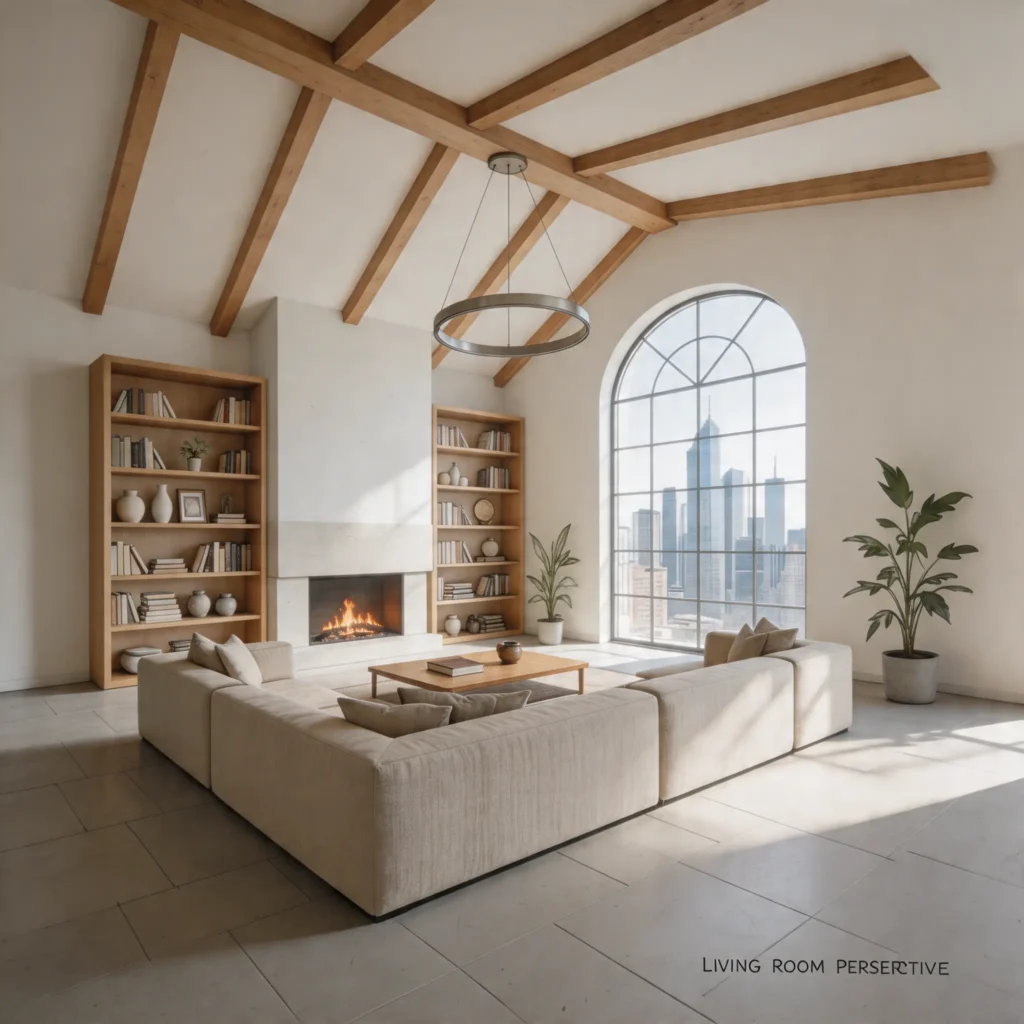
Have a sketch or a basic 3D model? This tool transforms rough concepts into realistic interior renders. You can control the time of day, lighting mood, and interior style. It’s especially useful for designers, architects, and property developers.
Before:
After:
3. Precision Edit – Full Creative Control
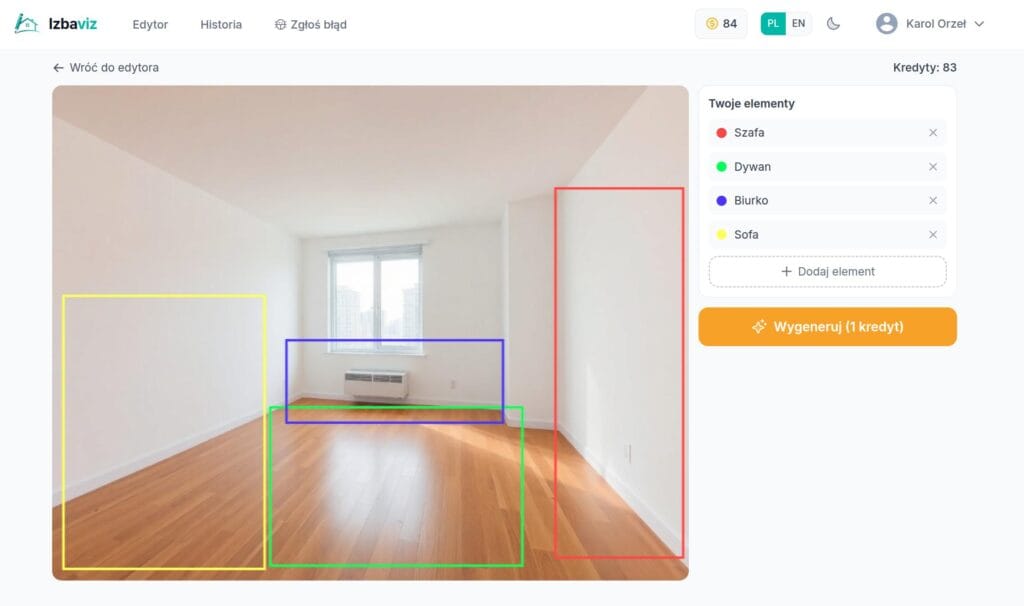
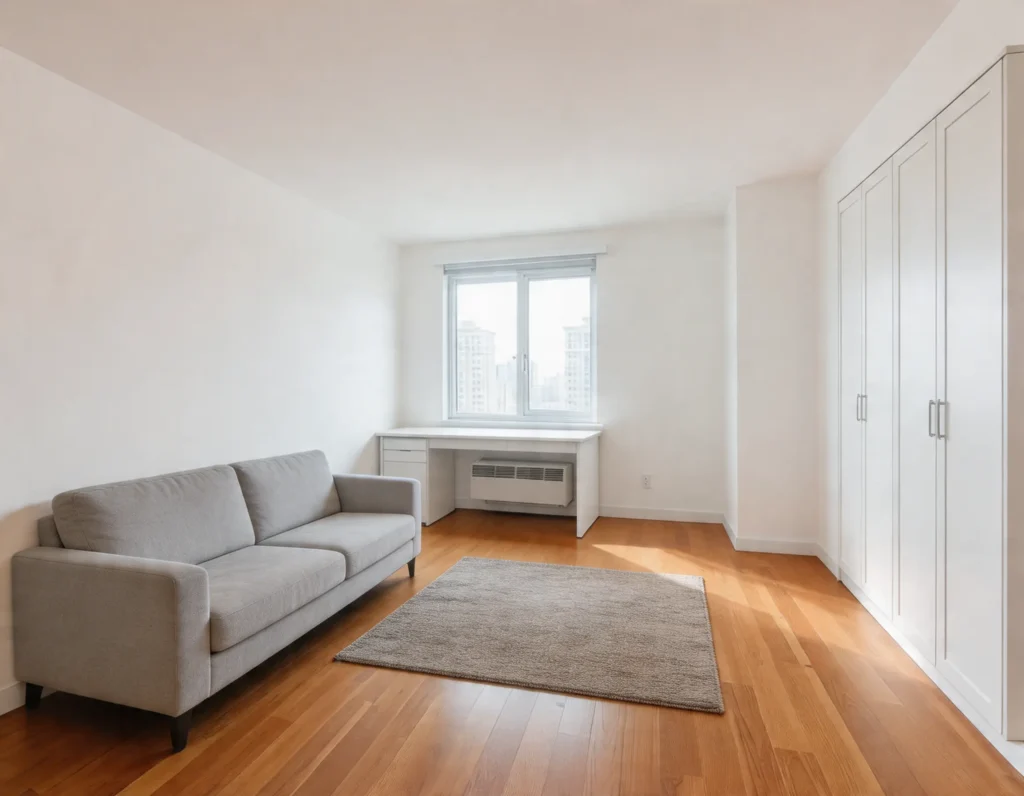
One of the most advanced tools in Izbaviz. You can mark areas where you want objects to appear — sofa, table, bed, plants, or wall art — and the AI interprets your selected areas and places objects naturally. Perfect when you already have a specific vision.
Before:
After:
4. Furnish Room – Decorate Empty Spaces
If you have an empty apartment or unfinished room, AI can furnish it automatically. Available scenarios include home staging, Airbnb setup, couple apartment, and home office — a big time-saver when preparing real estate listings.
5. Declutter – Remove Mess Instantly
This tool automatically removes unwanted objects, clears visual clutter, and prepares interiors for professional photography — ideal for property marketing and online listings.
6. Mood Shift – Change Lighting and Atmosphere
Sometimes you don’t want to change the furniture, only the atmosphere. This tool lets you brighten interiors, warm up colors, create evening lighting, or add a more relaxing or romantic mood — perfect for creating multiple versions of the same space.
7. Repaint Walls – Test Wall Colors
Thinking about painting your walls? Test colors such as sage green, navy blue, warm beige, anthracite, or any custom color. The AI changes only the wall color while keeping the rest of the room untouched.
Visualize Any Room from a Photo
AI interior visualization works from a photo of any room, so you can use it as an interior design visualizer for the whole home — living room, bedroom, kitchen, bathroom, or an empty apartment:
| Room | What you typically visualize |
|---|---|
| Living room | Style, furniture layout, wall color, mood |
| Bedroom | Atmosphere, colors, textiles, arrangement |
| Kitchen | Cabinet fronts, countertops, finishes, lighting |
| Bathroom | Tiles, fixtures, style, wall color |
| Whole apartment | A consistent style room by room (home staging) |
The clearer and wider your photo, the better the AI reads the layout — horizontal shots that capture the whole space give the most accurate visualizations. If you want that whole flow condensed onto a single page, see the Izbaviz interior design visualizer.
AI Interior Visualizer vs Interior Designer
An AI interior visualizer doesn’t replace an interior designer — it solves a different problem. It lets you test design ideas quickly and cheaply before you commit:
- Speed: a designer prepares a concept in days; AI generates one in seconds.
- Cost: a full interior design project often runs into thousands; an AI visualization costs cents.
- Variations: AI lets you try dozens of styles on the same room photo.
For most people it’s the perfect first step: visualize the direction with AI, then bring in a professional only if you need detailed execution.
How Much Does AI Interior Visualization Cost?
Inside Izbaviz, each generation uses credits — you only pay for what you create:
| Quality | Cost | Best for |
|---|---|---|
| Standard | 1 credit | Quick tests and idea previews |
| Pro 2K | 4 credits | Sharp visuals for presentations |
| Ultra 4K | 8 credits | Print, real-estate listings, portfolio |
Render and Precision Edit have a fixed cost of 1 credit. Credit packs start at an affordable price, and new accounts get free credits to start, so your first visualization is free. See the full Izbaviz pricing.
Why Use AI for Interior Design?
The main benefits include:
- Significant time savings — results in seconds
- No need to learn 3D design software
- Photorealistic results up to 4K
- Test multiple ideas and styles instantly
- Perfect for real estate marketing
- Accessible for beginners
Want a specific use case? Read more:
- Interior design visualizer — see any room restyled from one photo
- Interior design AI from photo — best free tools and how it works
- 20 interior styles — which one is right for you?
- How AI is changing interior design
Frequently Asked Questions
Yes — new Izbaviz accounts get free credits to start, so you can generate your first visualizations at no cost. After that, credit packs start at an affordable price.
Upload a photo of your room, pick a style or tool, and the AI generates a photorealistic redesign in 15–40 seconds — no 3D modeling required.
No. AI speeds up the concept stage and lowers the cost of experimenting, while designers still handle details, ergonomics, and execution. They work best together.
A well-lit, horizontal photo of the whole room (JPG, PNG, or HEIC up to 10 MB). The more of the space the AI can see, the better it reads the layout.
Yes — Izbaviz runs in your mobile browser, so you can upload a photo straight from your phone.
Traditional 3D tools require you to model walls and furniture yourself. AI interior visualization generates a finished render from your photo in seconds.
An interior design visualizer is a tool that shows a redesigned version of your space. Izbaviz works from a photo, so it visualizes interior design on your actual room rather than a generic template.
Yes. In Keep Layout mode the AI preserves your walls, windows, and proportions; Redesign Layout mode allows bigger changes to furniture and arrangement.
Upload a photo of your room to an AI interior design visualizer like Izbaviz, pick a style, and it will visualize interior design on your real space in 15–40 seconds — no 3D software needed.
Yes — Izbaviz shows a before-and-after comparison slider for every visualization, so you can see your interior before and after the AI redesign side by side.
Final Thoughts
AI interior visualization is becoming the future of interior design. With tools like Izbaviz, you can instantly explore new room ideas, test styles, and make smarter renovation decisions — whether you’re remodeling, selling a property, or furnishing an empty apartment.
Try AI interior visualization for free and see your room in a whole new style.
Ready for a room makeover?
Upload a room photo and transform its look in seconds. 20+ styles, 12 room types.